
Docker Registry Mirror: Keeping the Images Your Builds Depend On
Docker Registry Mirror: Keeping the Images Your Builds Depend On
Most teams start looking for a Docker registry mirror because their builds spend too much time downloading images. CI runners keep fetching the same layers, new machines need the same base images, and a busy day can mean a lot of traffic going back to Docker Hub. Sharing those downloads is an obvious improvement.
Then there is the build that fails even though nobody changed anything. It works on a developer’s laptop but fails on a clean runner. After checking credentials and retrying the job, someone discovers that the image is gone from the registry. The laptop still has a local copy, which explains why the problem went unnoticed.
A mirror may help in both situations, but that depends on how it works. Some caches refresh their content and delete older entries. Others preserve what they first downloaded. If you need to rebuild an existing release next year, those details deserve a closer look.
What a Docker registry mirror does
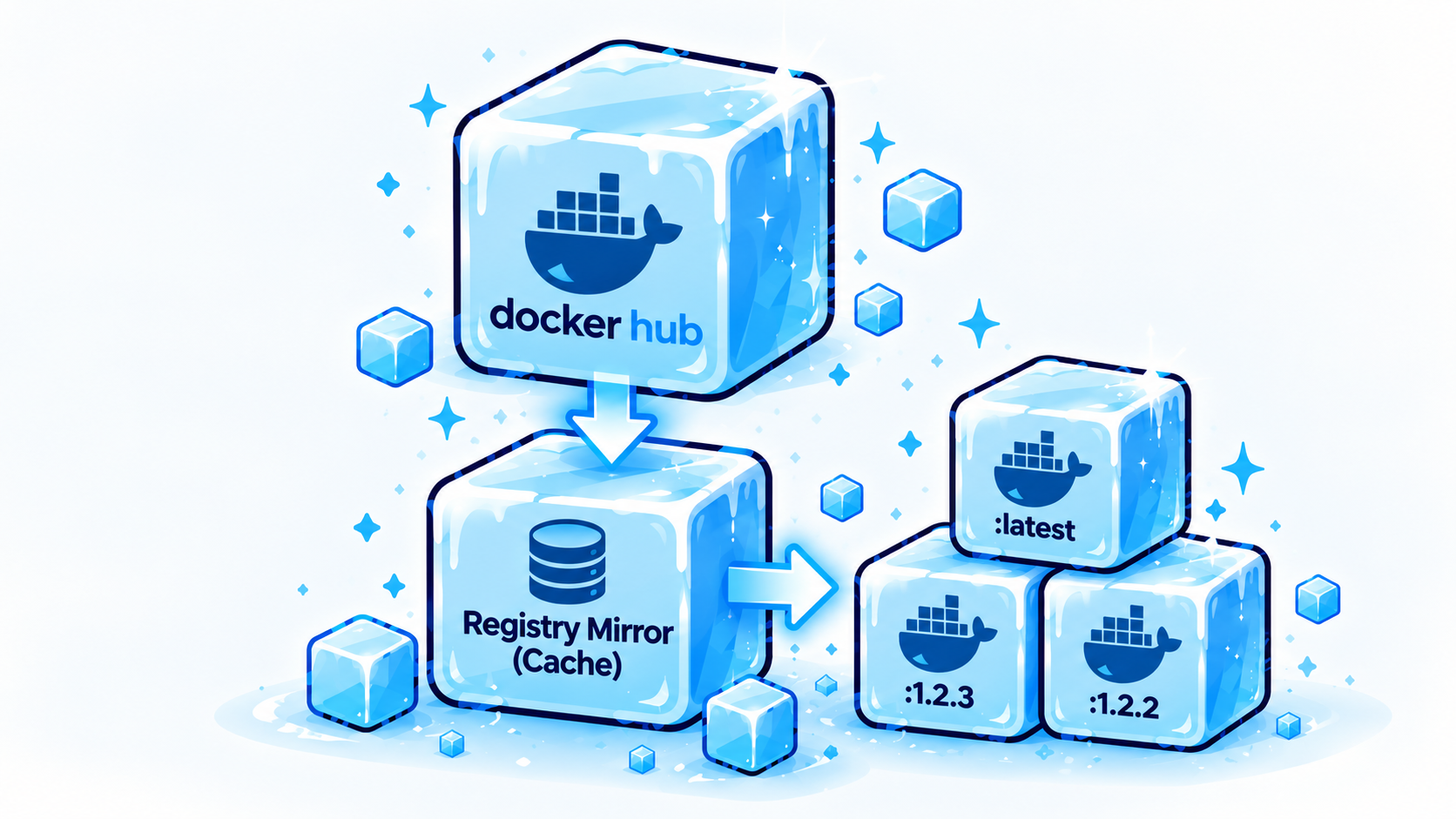
A Docker registry mirror retrieves images from an upstream registry and keeps content that other machines can reuse. On the first request, it downloads the image. Subsequent requests can use its stored copy. Docker calls this a pull-through cache; when the upstream source is Docker Hub, it is commonly called a Docker Hub mirror.
For a team running disposable CI workers, this solves a familiar irritation. Each worker starts clean, does its job, and disappears along with its local image cache. The next worker needs to download those layers again. A shared Docker image cache survives between jobs, so work already done for one machine can benefit the others.
The savings depend on the workload. A small project with infrequent builds may barely notice. A team running dozens of jobs against the same large base images has more to gain, especially if downloading them slows the rest of the build.
Downloads, pull limits, and upstream failures
Bandwidth and build speed usually get the most attention. Pull limits can also become a problem when many workers share a public IP address.
Docker Hub currently allows 100 unauthenticated pulls per six hours per IPv4 address or IPv6 /64 subnet. Authenticated Personal accounts receive 200. Authenticated Pro, Team, and Business accounts have unlimited standard pull rates, subject to fair use and separate abuse controls.
That makes the Docker Hub rate limit more relevant to some teams than others. Check how your runners authenticate before assuming it caused a failure. Caching can reduce upstream downloads, but requests that still reach Docker Hub remain subject to its policies.
A mirror can also give builds somewhere else to retrieve an image during an upstream outage. Whether that works depends on the content being retained and the mirror being able to serve it without a successful upstream request. Verify this behavior before an outage, especially if availability is one of your reasons for introducing the service.
For teams maintaining older releases, download performance may turn out to be the smaller concern. They need the image to remain available, and they need to know which image they are getting.
The Dockerfile can stay the same while the image changes
This looks like a reasonably specific starting point:
FROM ubuntu:24.04
It identifies an Ubuntu release, but the tag can receive updated image content. A build made today can therefore start from a different base than one made several months ago, even with an unchanged Dockerfile. StableBuild’s documentation describes this issue with Ubuntu images and the effect of pulling them at different times.
Local caching makes the situation harder to spot. One developer may still have the earlier image, another may have pulled the newer one, and CI may be starting from scratch. When only one environment fails, the team has to work out what differs before it can investigate the actual bug.
Updating a base image is ordinary maintenance. Engineers need security fixes and newer packages. What complicates the work is receiving that update without a corresponding change in the application repository. There is no pull request to inspect and no deliberate upgrade to roll back.
What a conventional cache keeps
Docker’s documented registry mirror checks upstream when a tag is requested and retrieves newer content when necessary. It also periodically removes old cached content to save disk space.
That is reasonable behavior for a cache. Storage costs money, and many users want the current image behind a tag. But a team trying to reproduce an earlier release has a different requirement.
Imagine that my-image:1.4 was used for a release in March. In June, its publisher replaces the content behind that tag. A mirror that follows upstream may fetch the replacement, so rebuilding the March release can now produce a different environment.
Deletion matters too. Once a cache evicts an image, another request requires another upstream download. If the publisher has removed it in the meantime, the cache no longer helps.
Having a Docker registry cache is therefore only part of the answer. For reproducible Docker builds, you need to understand its update and retention policies.
Preserving the image with an immutable mirror
StableBuild keeps the image captured when it first pulls a tag through its mirror. Later pulls return that stored image rather than following a change to the upstream tag. Its documentation says cached images are not automatically deleted, although a customer can deliberately remove a cached tag so the next pull fetches it again.
With that behavior, an upstream update does not immediately become a change to your build. The team can review a newer image, test the application against it, and decide when to adopt it.
An immutable Docker mirror still leaves engineers with maintenance work. Keeping an image does not make its packages current or fix its vulnerabilities. It does, however, leave the existing build available while the replacement is being tested. That is useful when an upgrade needs more care than a quick edit to the FROM line.
When the upstream image disappears
In September 2026, the minio/minio and minio/mc repositories disappeared from Docker Hub. Fresh environments and builds that referenced them began failing. StableBuild was affected too: one of its subsystems was pulling MinIO directly from Docker Hub. A customer who had already pulled the image through StableBuild could still use the retained copy.
A developer with MinIO cached locally might not have noticed immediately. A new runner had no such advantage. It needed the registry to serve the image, and the registry no longer had it.
CUDA images raise the same concern through an established support lifecycle. StableBuild has documented how older NVIDIA CUDA tags can reach end of life and be removed. Even a reference specifying the CUDA release, image variant, and operating system can eventually stop resolving.
Consider those examples when planning how long a release needs to remain buildable. Choosing a precise version helps, but somebody still has to retain its content.
A mirror has limits here. It must capture the image while it's available. Adding a mirror after the only accessible copy has disappeared will not bring it back.
Pinning by digest
A SHA256 digest identifies exact image content. GitHub’s container registry documentation recommends pulling by digest when you need to ensure that you are requesting the same image. This avoids relying on a tag that a publisher can move.
Digest pinning is useful, but the registry still needs to serve the associated content. A digest cannot prevent deletion. StableBuild supports digest-based pulls and notes that upstream image removal remains a concern even when a build is pinned to a hash.
For an older release, keep both requirements in view: an exact reference and an accessible copy. Otherwise, a carefully recorded dependency can still be unavailable when you need it.
Should you use a private registry instead?
A private Docker registry commonly holds images your organization builds and publishes. You might use one for your application containers, with access controlled for developers and deployment systems. GitHub Container Registry, for example, provides image storage and permissions for this purpose.
You can also copy external images into a registry you manage. Docker describes manually pulling selected images and pushing them to a local private registry as an alternative to running a mirror.
For a small, known set of dependencies, that may be enough. Someone needs to maintain the copies and make sure newly adopted dependencies are included. A pull-through mirror captures images as they are requested, which can be easier when the collection is larger.
Many teams will use both approaches: a private registry for their own software and a mirror for images published elsewhere. Neither removes the need to decide what is retained and how updates happen.
Running the mirror yourself
Docker supports running a registry as a pull-through cache. Clients can be directed to it using the registry-mirrors setting in daemon.json:
{
"registry-mirrors": [
"https://mirror.example.com"
]
}
Getting the configuration working is the first step in operating the service. Your team will also own its storage, authentication, monitoring, security, and availability. If you intend to preserve images for years, you need a retention policy and a way to recover the content after an infrastructure failure.
Self-hosting makes sense for organizations with the people and systems to support it. For a product team already responsible for several services, it is another piece of infrastructure competing for attention. That ongoing work should factor into the decision, alongside hosting costs and pull performance.
Connecting an existing build to StableBuild
StableBuild offers a managed mirror for public images from Docker Hub, GitHub Container Registry, NVIDIA NGC, and Quay.
A Docker Hub image can be routed through it by adding your StableBuild mirror domain:
FROM your-domain.dockermirror.stablebuild.com/ubuntu:24.04
If editing Dockerfiles is inconvenient, StableBuild can also be configured as the Docker daemon’s registry mirror. Its documentation describes preserving available image architectures, which matters when developers use ARM machines and deployments run on x86.
You keep using Docker and your existing build tools. The mirror becomes the place those tools retrieve the preserved external image.
Questions to ask before relying on a mirror
A quick download is easy to demonstrate. Retention takes more investigation. Before choosing a service, find out:
- Whether cached tags follow upstream updates or remain fixed.
- Whether images can be automatically evicted.
- Whether retained images remain accessible during an upstream outage or after upstream deletion.
- Which registries and architectures are supported.
- What pull, storage, and traffic limits apply.
- Who operates the infrastructure and protects its stored content.
- How your team deliberately updates a preserved image.
The answers should match the job you need the mirror to do. Reducing repeated downloads and preserving an old release are related requirements, but they call for different policies.
Start while the dependency is available
Pick an image your project depends on and check how a clean machine retrieves it. A successful build on a laptop with months of cached content will not tell you much about what a new runner can still download.
StableBuild’s free Community tier provides a way to try preserving a dependency, within its published traffic and storage limits. Once the image has been captured, verify the workflow with a fresh build so you know the copy is there before you need it.
Product teams should spend their time building the product, not repeatedly rebuilding the infrastructure required to build it. An old image will eventually need replacing, but keeping it available gives engineers time to do that work properly. Your software should change because your team decided to change it, not because the world upstream changed first.
Frequently asked questions
What is a Docker registry mirror?
It retrieves images from an upstream registry and stores content for later requests. Check its policies to understand whether that content can be refreshed or deleted.
What is a Docker Hub mirror?
A registry mirror for images hosted on Docker Hub. The name identifies the source registry; it does not tell you how long images are retained.
Is a mirror the same as a private registry?
A private registry commonly stores images your organization publishes or copies into it. A mirror retrieves upstream images as clients request them. A team may need both.
Is every pull-through cache immutable?
No. Docker’s documented cache follows upstream tag changes and removes older content to manage storage. Immutability must be an explicit part of the mirror’s behavior.
Can a mirror protect a build if an image is deleted?
Yes, if it has already captured the required content, retained it, and can still serve it. It cannot recover an image that disappeared before capture.
.jpg)