Reproducible Builds When Dependencies Disappear: How StableBuild Keeps Your Inputs Stable
Imagine logging on one morning to find your product isn’t working. You come in, CI is red, and nobody changed the code.
Everything worked yesterday, the build passed, but now customers are waiting while your team is trying to find the problem, and management wants to know what happened. They won’t care whose fault it is. They’ll see a broken product, frustrated users, and potentially lost revenue.
The problem could be a Dockerfile failing because an image disappeared, a package was pulled, a public registry hit a rate limit, or some upstream server simply isn’t answering.
Again, your code didn’t change.
One of its inputs did.
That distinction matters because modern builds depend on a lot more than what lives in your Git repository. They pull Docker images, operating-system packages, Python packages, binaries, archives and random files from infrastructure your team does not control.
Most of the time, that works beautifully.
Until it doesn’t.
StableBuild exists for that part of the build.
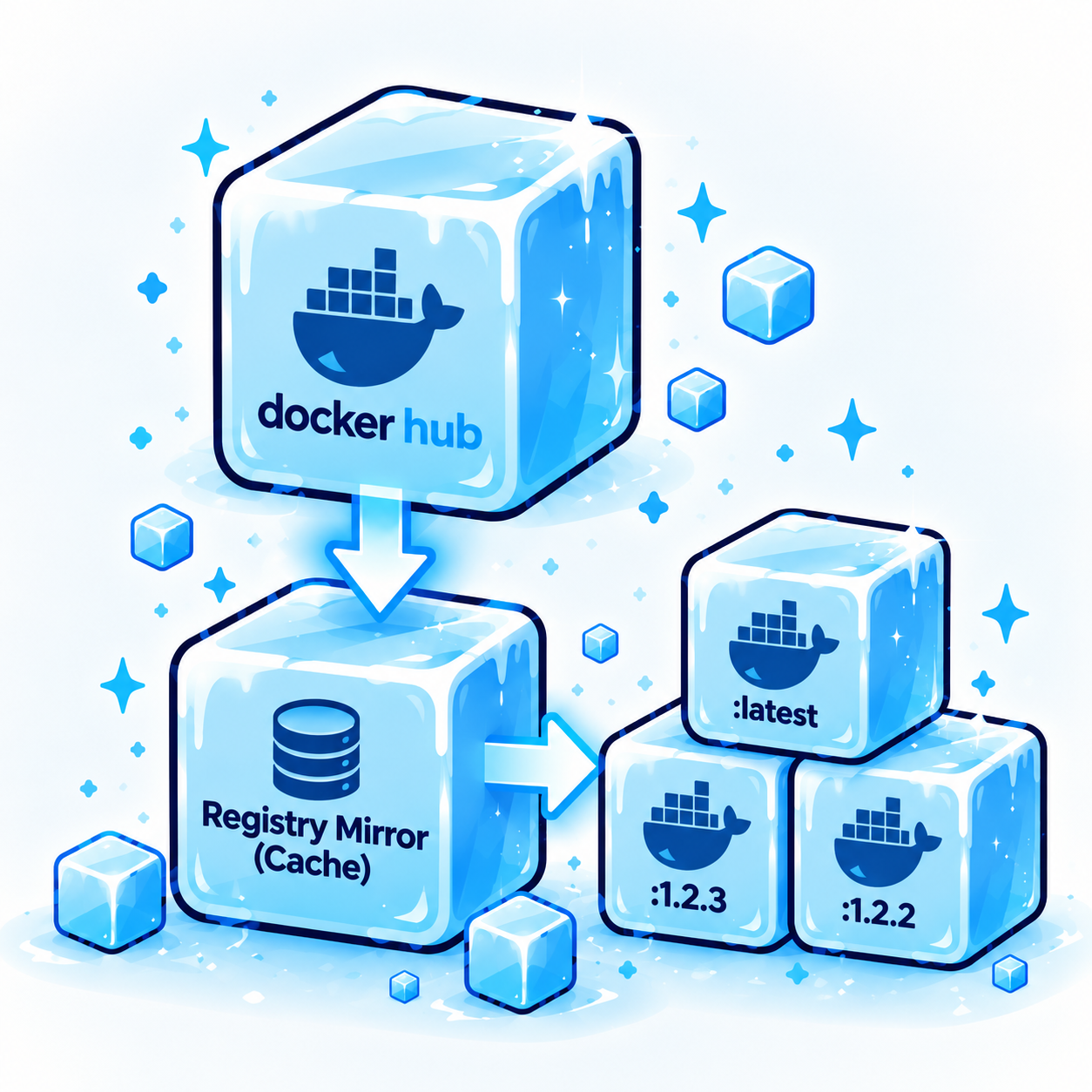
It sits between your build pipeline and upstream sources such as Docker Hub, PyPI, Ubuntu, Debian, Alpine and external file URLs. Once an artifact is pulled through StableBuild, the artifact can be preserved so your build can retrieve the same thing again later instead of asking the public internet to recreate yesterday’s environment for you. StableBuild’s Docker mirror, for example, operates as an immutable pull-through cache, while its package mirrors let teams pin Python and OS packages to historical states.
The idea is straightforward:
Your build should change because you changed it, not because somebody upstream changed something for you.
That is an important piece of reproducible builds.
If you've ever had a build fail even though your code didn't change, the rest of this will probably sound familiar.
What is a reproducible build?
A reproducible build is, broadly, a build that can be run again from the same source and build inputs and produce the same result.
And the first thing you need for that is surprisingly simple: the same inputs need to still exist.
There is an important technical caveat here.
Stable dependencies alone do not magically make every build byte-for-byte reproducible. Timestamps, compilers, environment variables, build paths, nondeterministic tooling and other parts of your build process can still affect output. Debian’s own reproducible-build guidance deals with many of these sources of nondeterminism.
StableBuild addresses a more fundamental problem:
Can you still get the same external inputs in the first place?
If your Docker image has disappeared, your package has been removed, or the URL in an old build now returns something different, you don’t have a stable foundation to reproduce anything.
StableBuild keeps that foundation from moving underneath you.
What is a pull-through cache?
A pull-through cache sits between your build and an upstream registry or repository.
The first time your build asks for an artifact, the cache retrieves it from upstream, stores a copy, and returns it to the build.
For example, your Dockerfile might reference:
python:3.12-slim
On the first request, StableBuild retrieves the image. Once it has been pulled through StableBuild, the image is retained and made immutable so later requests can return the same container instead of blindly trusting whatever the upstream tag points to at that moment.
That last part is important.
A cache and an immutable dependency are not quite the same thing.
A conventional cache may eventually expire an item and fetch it again from upstream. If the upstream artifact has changed, the cache can now contain the new version.
StableBuild’s objective is different.
Once something has been captured, it can remain available as the dependency your build originally used.
So the useful mental model isn’t simply:
“Make downloads faster.”
It’s:
“Stop an upstream change from silently becoming my change.”
That distinction becomes much more important once you look at what can happen when every build goes directly back to the public source.
Why not just pull directly from Docker Hub, PyPI and public OS mirrors?
Because public repositories are excellent distribution infrastructure.
They are not necessarily permanent historical records of your build environment.
There are four very ordinary ways this causes trouble.
1. Dependencies disappear
Images are deprecated. Package versions are removed. Repositories shut down. Files move. Publishers clean up old releases.
Sometimes there is a very good reason for it.
Your three-year-old production release doesn’t care.
If you need to rebuild that release, you need the dependency that existed when the release was created, not simply the newest thing available today.
2. Mutable references can change
A version-looking tag does not always mean immutable content.
If a build refers to a mutable tag and the publisher updates what that tag points to, your build can consume a different artifact without anyone touching the Dockerfile.
That is exactly the sort of invisible state change that makes debugging old builds unpleasant.
3. Rate limits are somebody else’s operational policy
A developer pulling an image a few times from a laptop might never notice a registry limit.
CI is different.
Parallel jobs, frequent builds and ephemeral runners can generate a lot of requests quickly. At that point, perfectly valid builds can start failing because the registry has decided you’ve pulled enough for now.
The code is fine.
The dependency is fine.
The build still fails.
4. Upstream outages become your outages
If your build requires a public registry at build time, then the availability of that registry is now part of the availability of your build pipeline.
When it goes down, you wait.
None of these problems are particularly exotic.
That’s what makes them irritating.
Your software can fail to rebuild even though nothing in the software itself changed.
If you've run into even one of these problems, the next question is what StableBuild can actually preserve for you.
What does StableBuild actually preserve?
StableBuild currently covers four major dependency surfaces.
You point the relevant part of your build at StableBuild, and the dependency is captured as it passes through.
The workflow does not need to become a new build system.
Tools such as pip and uv already understand custom package indexes. Docker builds already understand registry URLs. APT and APK already understand alternative repositories.
StableBuild is designed to fit into those existing workflows.
That matters because the goal isn’t to reinvent how your team builds software.
The goal is to make sure the things your software depends on don’t quietly change underneath it.
Once those inputs stop moving underneath you, something else becomes much easier: proving what actually went into a release.
What does this have to do with an SBOM?
Quite a lot.
An SBOM, or Software Bill of Materials, is an inventory of the software components contained in or associated with a piece of software.
Think of it as the component manifest for a release.
That becomes increasingly useful for security, vulnerability management, audits and software provenance. But there is a practical difference between knowing that a dependency existed and still being able to retrieve the exact dependency that produced the software.
An SBOM is an inventory.
It is not a time machine.
If an old package disappears or an upstream artifact changes, your SBOM may still tell you what belonged in the release, but reproducing and investigating that release becomes harder if the original input is no longer available.
StableBuild does not generate or validate your SBOM.
Its role is further down the chain.
It preserves the external dependency inputs your build relied on so those artifacts remain available later.
That gives engineering and security teams a stronger foundation when they need to answer questions such as:
- What exactly went into this release?
- Can we retrieve those same components today?
- Can we reproduce the environment used to create it?
- Which historical releases contained a vulnerable dependency?
- Can we rebuild the affected version without replacing half its dependencies first?
You can’t meaningfully reconstruct a build if some of its original inputs no longer exist.
That becomes more than an engineering convenience when somebody outside your engineering team starts asking for the same answers.
Does this matter for the EU Cyber Resilience Act?
Yes, although StableBuild is not a compliance product by itself.
The EU Cyber Resilience Act, commonly shortened to the Cyber Resilience Act or CRA, introduces cybersecurity obligations for products with digital elements sold in the EU.
Why should you care? If your company sells software or connected digital products in the EU, the Cyber Resilience Act can create real cybersecurity, vulnerability-reporting, and documentation obligations for your business.
The regulation generally applies from December 11, 2027. Certain reporting obligations concerning actively exploited vulnerabilities and severe incidents apply earlier, from September 11, 2026.
That makes component identification, vulnerability handling, documentation and software provenance increasingly operational concerns rather than abstract security concepts.
If an organization needs to investigate an affected release, knowing the dependency versions involved is useful.
Being able to retrieve those dependencies is better.
StableBuild can support that part of the process by preserving build inputs. It does not make a product compliant with the Cyber Resilience Act, and it does not replace vulnerability management, reporting processes, security controls, documentation or legal guidance.
It solves one narrower infrastructure problem:
The artifact you need to investigate or rebuild is still there.
That sounds basic.
When a dependency has disappeared three years after release, it stops feeling basic very quickly.
The CRA is one reason this matters, but the larger shift toward reproducible software goes well beyond regulation.
Reproducible builds are becoming part of the software supply-chain conversation
This is not only a regulatory discussion.
Debian has been pushing reproducible builds forward for years. Its Debian 13 release notes describe significant progress toward byte-for-byte reproducible package builds and introduce tooling such as debian-repro-status for checking the reproducibility status of installed packages.
That reflects a broader change in how software supply chains are being treated.
It is no longer enough to say:
“Here is the source code.”
Teams increasingly need to understand:
“What source, which dependencies, which versions, which build environment, and can we reproduce what happened?”
StableBuild doesn’t solve every part of that equation.
It solves the dependency-retention part.
And dependency retention becomes surprisingly important when the upstream internet has moved on but your production software hasn’t.
Do I need a private Docker registry instead?
Maybe. It depends on the problem you’re solving.
A private Docker registry can be the right answer when you need to publish and manage your own internal container images, establish internal distribution workflows, or control a broader artifact-management environment.
StableBuild is solving a more specific problem:
How do I keep external build dependencies available and immutable without operating all of that mirror infrastructure myself?
For Docker, StableBuild acts as an immutable mirror and pull-through cache for Docker Hub. For Python and operating-system packages, it maintains historical mirrors. It also handles arbitrary files pulled from URLs.
So if your actual requirement is:
“We need to keep the Docker images and packages we depend on from disappearing or changing,”
you may not need to build and operate another piece of infrastructure just to accomplish that.
And if you're looking at the broader repository-management category, two other names will probably come up: Artifactory and Nexus.
What about Artifactory or Nexus?
If you’re already running Artifactory or Nexus successfully and your team is happy with it, keep using it.
There is no prize for migrating infrastructure that already solves your problem.
Repository managers make sense when an organization needs broader artifact-management capabilities and is comfortable operating the associated infrastructure and workflows.
If you haven't used them, Artifactory and Nexus are repository managers: systems engineering teams use to store, proxy, organize, and control software packages, container images, and other build artifacts.
They are well-established tools, and plenty of large organizations use them successfully.
The difference is what you have to do to keep them running.
StableBuild is attractive when the requirement is narrower:
Preserve external dependencies, make them immutable, and keep builds working without turning dependency retention into another internal platform project.
That is particularly relevant for smaller engineering teams that don’t want “operate the artifact repository” added to somebody’s job description.
Who is StableBuild built for?
There isn’t one narrow profile.
The common denominator is that the team cares about being able to build the same software again later.
That includes:
CI-heavy teams.
If public-registry limits, outages or changing dependencies are breaking builds, caching and preserving those inputs removes a source of instability.
Small and mid-sized engineering teams.
You may need the reliability of your own dependency infrastructure without wanting to operate a registry cluster, historical package mirrors and multiple proxies yourself.
Teams maintaining long-lived software.
A dependency that exists today might not exist five years from now. Long support cycles make historical dependency availability much more important.
Teams working in regulated or security-sensitive environments.
When you need to understand what went into a historical release, preserved dependencies make reconstruction and investigation substantially easier.
Developers inheriting old software.
Sometimes the problem isn’t building today’s application. It’s getting a five-year-old application to build at all.
That last category is where this becomes very tangible.
Old software doesn’t care that the ecosystem moved on.
It still expects the world it was built in.
If any of those sound like your environment, the obvious next questions are usually the same.
A few questions we get a lot (FAQ)
Is StableBuild just a pull-through cache?
Not exactly.
StableBuild uses pull-through cache behavior for Docker, but the important part is what happens after the dependency is retrieved.
The artifact is preserved rather than treated as disposable cache data.
StableBuild also covers historical OS and Python package repositories and arbitrary build files, so the dependency surface is broader than Docker alone.
Does StableBuild replace a private Docker registry?
Sometimes, but not universally.
If your goal is to preserve public container dependencies without operating your own mirror infrastructure, StableBuild can remove the need for a private Docker registry dedicated to that job.
If you’re running a registry for internal images, publishing workflows, permissions, artifact promotion or other internal use cases, that’s a different requirement.
Does StableBuild guarantee a reproducible build?
No.
And that distinction is important.
StableBuild helps keep dependency inputs deterministic and retrievable. Your build can still contain other sources of nondeterminism.
What StableBuild prevents is one particularly common class of reproducibility failure: your external dependency changing or disappearing.
Does StableBuild create my SBOM?
Not yet.
StableBuild does not currently generate or validate an SBOM.
What it does today is preserve the dependencies behind the build, making later provenance, reconstruction, and security investigations considerably more practical.
SBOM generation is under development. The goal is to generate the SBOM directly from the dependencies StableBuild manages at the source, rather than relying only on scanning the finished build artifacts.
Many current SBOM tools work by scanning those artifacts after the build is complete. StableBuild’s approach would instead use the dependency information it already sees and preserves as part of the build process.
Does StableBuild stop me from updating dependencies?
No.
You can update whenever you want.
The difference is that you decide when the change happens.
Pull the newer dependency. Test it. Update your application. Promote it when you’re satisfied.
StableBuild is not about freezing your software forever.
It is about making dependency changes deliberate rather than accidental.
Try it on a build that has already annoyed you
You don’t need to redesign your build system to understand whether StableBuild is useful.
Take a build that has already failed because of a missing dependency, Docker Hub rate limit, unavailable package or external file.
Point the relevant dependency source at StableBuild.
Run it again.
StableBuild’s Community tier is currently free and includes access to its repositories and mirrors with 1 TB of traffic, which makes it possible to test the workflow without first committing to another piece of infrastructure.
That’s really the point of the product.
Your code should determine when your build changes.
A deleted package, mutable image tag, registry rate limit or dead URL shouldn’t get to make that decision for you.
Try it with a build that has already caused you trouble. StableBuild's Community tier is free, so you can pin the dependencies and see the difference for yourself.